Reimagining Database Cloning with Nutanix Database Service (NDB): Fast, Smart and Efficient
By Sunny Kichloo , Senior Consultant - Databases, Nutanix Professional Services
Simplifying Database Cloning with Nutanix Database Service (NDB)
Having worked in the database field for many years, I’ve seen firsthand how certain operations can be both time-consuming and operationally complex. One common example is database cloning.
What is Database Cloning and Why Does It Matter?
Database cloning is the process of creating an exact copy of a production database for purposes such as development, testing, analytics, or troubleshooting. Clones are valuable because they allow teams to work with realistic data without impacting the live production system.
However, cloning is often challenging because the process is:
- Time-Intensive: Traditional cloning requires taking a backup, transferring large amounts of data, and restoring it onto a target system. For large databases (e.g., 5–10 TB), this process can take several hours—or even days—depending on infrastructure.
- Storage-Heavy: Each clone typically requires the same amount of storage as the source database. Multiple clones can quickly consume tens of terabytes of additional storage, possibly driving up infrastructure and storage costs.
- Operationally Complex: Managing clones across different database engines and environments often requires significant manual effort. DBAs may need to rely on database-level native tools to create clones, but there is no common tool that works across all database types. This often means additional coordination between teams and the use of custom scripts. Typically, DBAs must script backup-and-restore procedures for each engine, work with storage or infrastructure teams to provision volumes, reconfigure settings such as file paths or instance IDs for each clone, and track or clean up clones over time to avoid wasted storage. This manual coordination not only slows down clone provisioning but also increases the risk of errors and inconsistencies.
This is where Nutanix Database Service(NDB) makes a significant difference.
How NDB Transforms Database Cloning
NDB is designed to simplify and accelerate cloning operations by addressing these challenges:
1. Time Efficiency
- NDB leverages Nutanix Acropolis Operating System (AOS) snapshots to speed up database cloning. Here’s how it works: instead of copying the entire database, AOS snapshots capture a point-in-time view and track only the changes made afterwards. This turns cloning into a lightweight metadata operation rather than a time-consuming data copy. As a result, even large databases can be cloned in minutes instead of hours.
- For example, cloning a multi-terabyte SQL Server or Oracle database that might traditionally take 12–24 hours can be completed in just minutes with NDB. Traditional cloning is slow because it requires creating a full physical copy of all data, moving terabytes across storage and networks. NDB avoids this bulk copy by recording only changes, making the process dramatically faster.
- With a single click, a DBA can spin up a clone from any point in time and make it instantly available on a development or test server.

2. Storage Savings
- Instead of duplicating the entire database, NDB clones only store changes relative to the snapshot.
- This means clones consume almost no additional storage, helping organizations avoid the typical storage sprawl that comes with managing multiple large databases.
3. Multi-Database Engine Support
- Many enterprises run a mix of Oracle, SQL Server, PostgreSQL, MongoDB, and MySQL.
- NDB provides a single GUI and API-driven interface to clone and manage all of these, eliminating the need for fragmented tools or processes.

4. Data Refresh Made Simple
- Cloned data becomes stale after weeks or months, and traditionally refreshing it requires repeating the entire backup-and-restore cycle.
- With NDB, refreshing a clone is as simple as another one-click operation.
- Administrators can also schedule automatic refreshes to ensure cloned environments always reflect the latest snapshot data.
- Additionally, clones can be assigned a specific retention period, ensuring they are automatically purged after a set number of days to prevent storage sprawl

5. Customizable with Pre- and Post-Clone Scripts
- NDB allows DBAs to define pre- and post-clone scripts that execute during cloning.
- These scripts can automate tasks such as data masking, allowing sensitive production data to be obfuscated before being shared with development or testing teams.
What are our customers saying?
Our team is seeing bigger cost savings because NDB lets administrators create database clones that use minimal storage and consume near-zero bytes
Beyond Cloning – Broader Database Lifecycle Management
While database cloning is one of the most impactful and widely adopted use cases, Nutanix Database Service (NDB) goes far beyond that by simplifying and automating the full database lifecycle across engines, including:
- Provisioning – Rapidly deploy new databases and database servers from a service catalog, pre-configured with organizational best practices.
- Backup and Recovery – Protect databases with snapshot and log-based protection and recover large databases to a point in time within minutes
- Automated Patching – Apply database engine updates, cumulative updates, and service packs in bulk across hundreds of databases with minimal effort.
- Elastic Storage Scaling – Expand database storage on demand, with visibility and control over utilization across the fleet.
- High Availability & Disaster Recovery – Automate deployment of HA/DR topologies across different database engines to ensure resilience and uptime.
- Hybrid Multicloud Operations – Manage databases consistently across on-prem, private cloud, and public cloud platforms such as AWS and Azure.
- Golden Image Compliance – Ensure standardization, compliance, and governance by enforcing golden images and consistent builds across all databases.
Where can I test this capability?
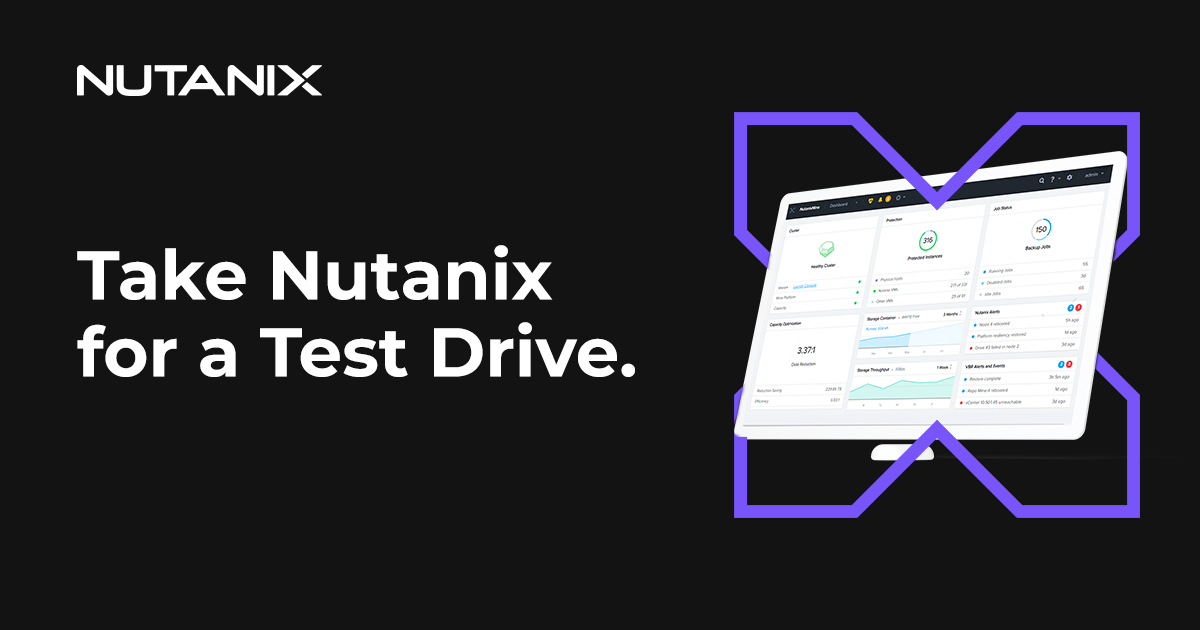
Getting started with NDB is easy. Simply sign-up for a free test drive online to experience how easy it is to provision, take snapshots, create clones and restore your databases within minutes. No software to download or install.
Final Thoughts
Database cloning is critical but traditionally can be slow, storage-intensive, and complex. With NDB, you can clone multi-terabyte databases in minutes, save massive amounts of storage, streamline operations across multiple database engines, and keep clones fresh with automated refreshes and expiration policies.
©2025 Nutanix, Inc. All rights reserved. Nutanix, the Nutanix logo and all Nutanix product and service names mentioned herein are registered trademarks or trademarks of Nutanix, Inc. in the United States and other countries. All other brand names mentioned herein are for identification purposes only and may be the trademarks of their respective holder(s).