More Room to Slice and Dice Your AWS Networks on Nutanix Cloud Clusters
Nutanix integration with the AWS networking stack means that every VM deployed on the Nutanix Cloud Clusters (NC2) solution on AWS receives a native AWS IP address when using native networking. This gives applications full access to all AWS resources as soon as you migrate or create them for NC2 on AWS.
Because the Nutanix network capabilities are directly on top of the AWS overlay, network performance remains high, and resource consumption is low because you don't need additional network components. Native networking is definitely the easy button on getting workloads up and running for NC2 on AWS.
Nutanix uses native AWS API calls to deploy Nutanix AOS Storage software on bare-metal EC2 instances and consume network resources. Each bare-metal EC2 instance has full access to its bandwidth through an Elastic Network Interface (ENI), so if you deploy Nutanix to an i3.metal instance, each node has access up to 25 Gbps per ENI.
If you had many small subnets in AWS with a large NC2 cluster, it was possible to exhaust the ENIs on the bare-metal host with native networking up until now. Nutanix has created a way to carve up larger AWS subnets and let the Nutanix AHV hypervisor handle creating smaller subnets out of the range of IPs from the AWS subnet.
Example Problem
ENIs must each correspond to one AWS subnet, and have one primary IP for the ENI itself, and 49 secondary IPs for user VMs within the subnet. Thus, each ENI can support up to 49 IPs for user VMs within the same subnet.
AHV nodes are restricted to attach up to 15 ENIs per node, as per EC2 limitations. One ENI is reserved for the management subnet(AHV and the CVM), leaving 14 remaining ENIs for customer subnets.
By these limitations, one AHV node can support up to 14 customer subnets, and in theory a limit of 14 subnets * 49 IP addresses = 686 UVM hosts per cluster.
During user VM creation, a new ENI is attached to the AHV node in the following cases:
- If there is no ENI already attached that corresponds to the user VM subnet.
- If there is an ENI already attached that corresponds to the user VM subnet but has run out of secondary IP addresses. This means one subnet on a host could use multiple ENIs.
However, this leads to inefficient usage of ENIs and address spaces. For example, a customer may want to create 20 user VMs, each in a distinct user VM subnet. We would only be able to support 14 user VM subnets, as each ENI can only support one user VM in one user VM subnet, despite the 14 ENIs capacity to support 686 user VMs.
Solution
The AWS Cloud Port Manager now can map multiple AHV subnets to one large AWS subnet, which we will call the AWS Target subnet.
When deployed with NC2 on AWS, AHV runs the Cloud Network Controller (CNC) service on each node as a leaderless service and runs an OpenFlow controller. CNC uses an internal service called Cloud Port Manager to create and delete ENIs and assign ENI IP addresses to guest VMs.
Cloud Port Manager can map large CIDR ranges from AWS and allows AHV to consume all or a subset of the range. If you use an AWS subnet of 10.0.0.0/24 and then create an AHV subnet of 10.0.0.0/24, Cloud Port Manager uses one ENI (cloud port) until all secondary IP addresses are consumed by active VMs.
When the 49 secondary IP addresses are used, Cloud Port Manager attaches an additional ENI to the host and repeats the process. Because each new subnet uses a different ENI on the host, this process can lead to ENI exhaustion if you use many AWS subnets for your deployment. This is important to still allow this use case for backwards compatibility and if a certain workload needed extra bandwidth for dedicated ENIs.

Figure 1: One-to-one Nutanix AHV and AWS subnet mapping
To prevent ENI exhaustion, use an AWS subnet of 10.0.2.0/23 as your AWS target. In AHV, create two subnets of 10.0.2.0/24 and 10.0.3.0/24. With this configuration, Cloud Port Manager maps the AHV subnets to one ENI, and you can use many subnets without exhausting the bare-metal nodes’ ENIs.

Figure 2: One-to-one and one-to-many Nutanix AHV and AWS subnet mapping
When you consume multiple AHV subnets in a large AWS CIDR range, the network controller generates an Address Resolution Protocol (ARP) request for the AWS default gateway with the ENI address as the source. Once the AWS default gateway responds, the network controller installs ARP proxy flows for all AHV subnets with active VMs on the ENI (cloud port).
The ARP requests to a network’s default gateway reach the proxy flow and receive the MAC address of the AWS gateway in response. This configuration allows traffic to enter and exit the cluster, and it configures OVS flow rules to ensure traffic enters and exits on the correct ENI.
This added flexibility with the AWS target subnet allows customers to slice and dice the networks similar to what’s possible in on-premises networks with the Nutanix Cloud Infrastructure solution. . This new feature is a testament to the Nutanix vision of running any app, anywhere.
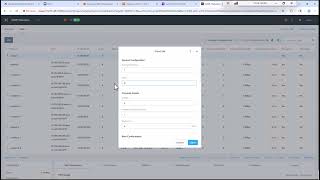
Check out the video below to see this in action.
©2025 Nutanix, Inc. All rights reserved. Nutanix, the Nutanix logo and all Nutanix product and service names mentioned are registered trademarks or trademarks of Nutanix, Inc. in the United States and other countries. All other brand names mentioned are for identification purposes only and may be the trademarks of their respective holder(s).Results, benefits, savings, or other outcomes described depend on a variety of factors including use case, individual requirements, and operating environments, and this publication should not be construed as a promise or obligation to deliver specific outcomes.